Imgur Not Working? How to Fix Upload Errors
An upload failed, a link won’t open or an image shows as broken? Most Imgur problems have a simple cause and an easy fix. This guide lists every error you can see on UploadImgur, what it means and what to do about it.
Quick checks
- Is Imgur up? Open status.imgur.com.
- Are you online? Reload the page, or switch between Wi-Fi and mobile data.
- Is the file supported? Images must be JPG, PNG, GIF, WebP, HEIC, BMP or TIFF up to 20 MB; videos MP4, MOV or WebM up to 90 MB.
- Did you upload a lot recently? Imgur limits each network to about 50 uploads an hour.
Upload error messages and fixes
When an upload fails, UploadImgur shows a short message on the failed tile and above the queue. Find yours below.
| Message | Why it happens | How to fix it |
|---|---|---|
| Imgur’s hourly limit was reached for your network | Imgur allows about 50 uploads per hour from one network. | Wait the number of minutes shown, then press Retry failed. Or press Continue to keep what already uploaded. |
| Imgur is refusing uploads from your network or region right now | Imgur blocks some networks and regions. It has blocked the UK completely since 30 September 2025. | Try again later, or from another network such as mobile data. In the UK, Imgur can’t be used at all. |
| Imgur is having trouble right now | Imgur’s servers are down or overloaded. | Check status.imgur.com and try again when it is back. |
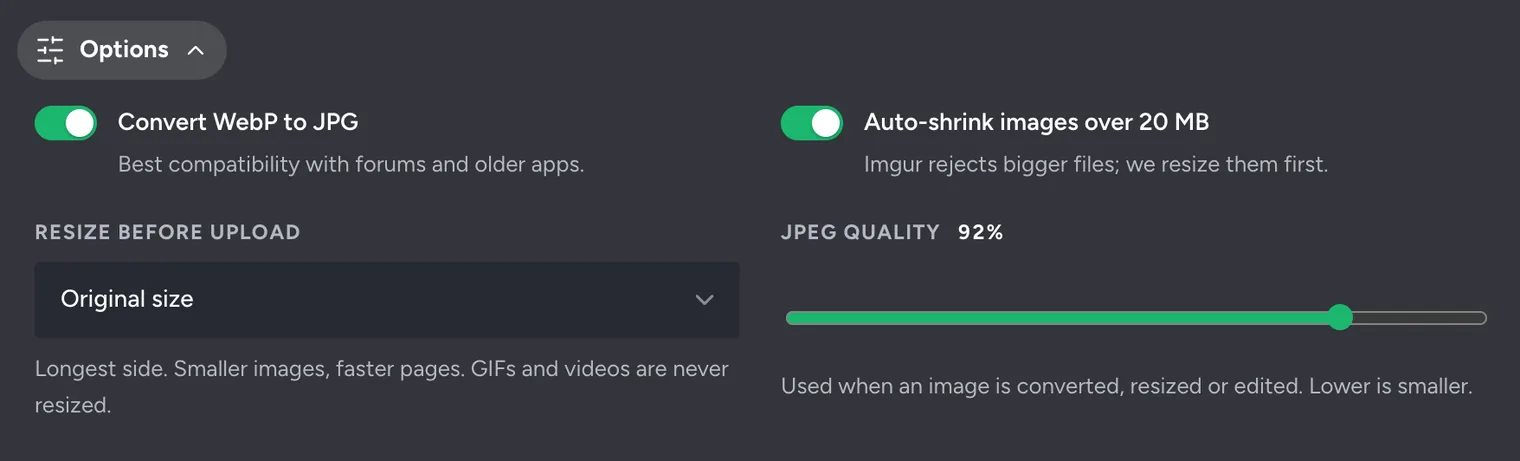
| … is over 20 MB (or 90 MB for videos) | The file is bigger than Imgur accepts. | Keep “Auto-shrink images over 20 MB” on under Options. For GIFs, convert to MP4. For videos, trim or record at 1080p. |
| … isn’t an image or video Imgur accepts | The file is a format Imgur can’t take, such as PSD, RAW, SVG or PDF. | Export or save it as JPG or PNG (or MP4 for video) and upload that. |
| Couldn’t download that URL — the site may block it | The link isn’t a direct image link, or the website blocks downloads. | Open the image, save it to your device and upload the file instead. |
| … couldn’t be converted from HEIC to JPG | Your browser couldn’t read this iPhone photo. | Export it as JPG from the Photos app, or set Camera → Formats → Most Compatible. |
| Imgur couldn’t read this image. It may be corrupted | The file is damaged or not really the format its name says. | Open it in an image app, save a new copy as JPG or PNG and upload that. |
| You seem to be offline | Your connection dropped during the upload. | Check your Wi-Fi or mobile data and press Retry failed. |
Files over 20 MB
Imgur rejects images over 20 MB from upload tools. UploadImgur shrinks them for you while Auto-shrink images over 20 MB is on (it is by default). GIFs can’t be shrunk without ruining them, so convert big GIFs to MP4 instead.
Uploading by URL
The address must end in an image file, like …/photo.jpg. Links to web pages, social media posts or anything behind a login can’t be downloaded. Right-click the image, choose Copy image address and try that, or save the image and upload the file.
Retry only the files that failed
You never have to start a batch again. When some files fail, the uploader keeps the ones that worked and offers two buttons:
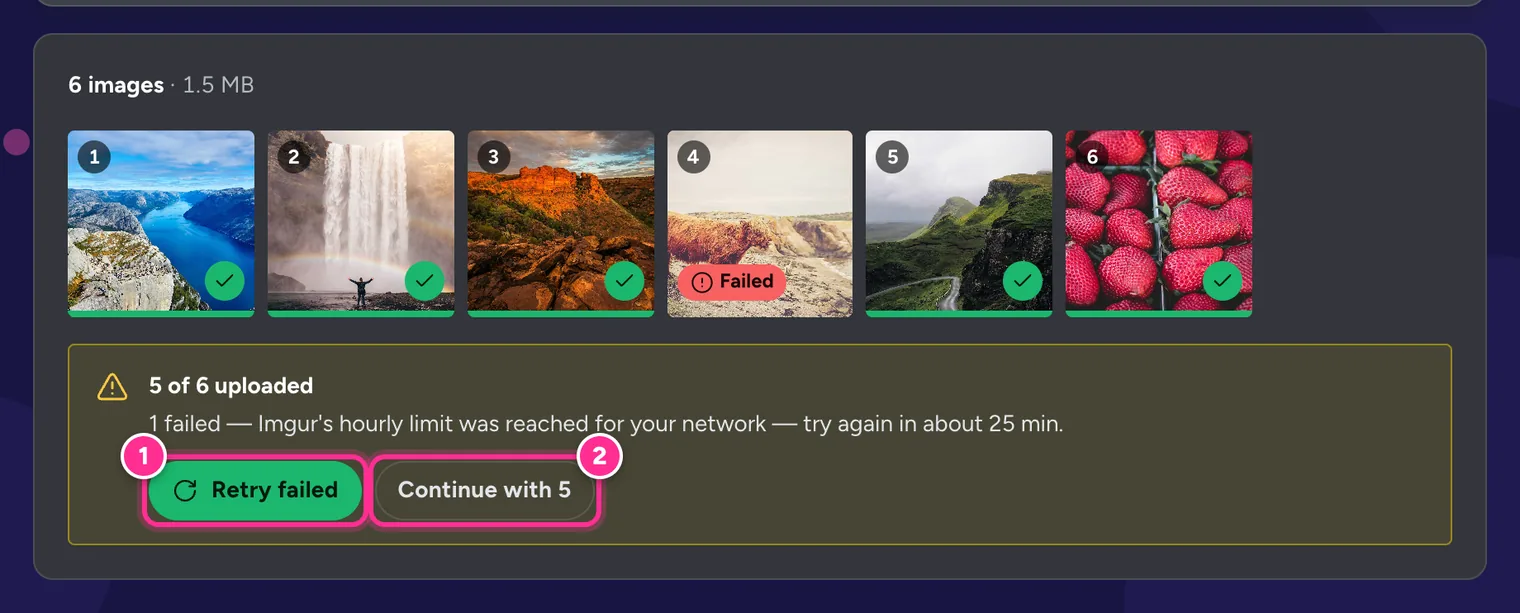
- Retry failed (1) uploads only the failed files again. For the hourly limit, wait the time shown first.
- Continue with 5 (2) shows your links for the files that worked. An album is created from those images.
The message above the queue explains what went wrong. On a computer, hover over a red Failed badge to see the reason for that particular file.
Imgur images not loading
- You are in the UK. Imgur has been unavailable in the UK since 30 September 2025, and embedded Imgur images don’t load there either.
- The image was deleted. Imgur shows a small grey “removed” picture instead. Imgur may also remove anonymous images that are old and have never been viewed.
- The wrong link was embedded. Forums and HTML need the direct link (
i.imgur.com/….jpg), not the page link. Get one with the Imgur Direct Link Generator. - A video is still processing. New videos can take a minute before they play.
- Your internet provider blocks Imgur. Imgur suggests trying a different DNS service, such as Google Public DNS, if the site loads but images don’t.
- The site doesn’t allow it. Imgur allows images on forums but blocks use as a website’s image host, so images on some sites may stop loading.
Frequently Asked Questions
Is Imgur down right now?
Check Imgur’s status page at status.imgur.com (linked as “Imgur status” in our top bar). If Imgur reports a problem, uploads will work again once it is fixed.
Why does Imgur say it is not available in my region?
Imgur stopped serving the United Kingdom on 30 September 2025, after the UK data protection regulator investigated its parent company. People in the UK can’t view, upload or see embedded Imgur images.
How many images can I upload to Imgur per hour?
About 50 per hour from one network, according to Imgur. UploadImgur lets you queue up to 100, and tells you how long to wait if you reach the limit.
Why does my Imgur link show a small grey “removed” picture?
The image has been deleted, either by the uploader or by Imgur. Since 2023, Imgur may also remove old anonymous uploads that have never been viewed.
Why won’t my Imgur video play?
Imgur converts videos to MP4 after upload, which can take a minute. If it still doesn’t play, make sure you are using the .mp4 link rather than .gifv in an embed.
Still not working?
Contact us through the Contact page with the exact error message, your browser and device, and the country you are in. It helps us find the problem quickly.
Still stuck? Contact us with the error message and we will take a look. You can also read the complete guide to every UploadImgur feature.