How to Create an Imgur Album Without an Account
An Imgur album puts many images behind one short link, like imgur.com/a/Ay7fG2s. It is the tidiest way to share a holiday, a project, a set of screenshots or a meme dump. Here is how to make one in under a minute, with no Imgur account.
How to make an Imgur album, step by step
Step 1: Add your images
Open UploadImgur.com and press Choose photos, or drag your images onto the page. You can add up to 100 at once, and mix photos, GIFs and videos.
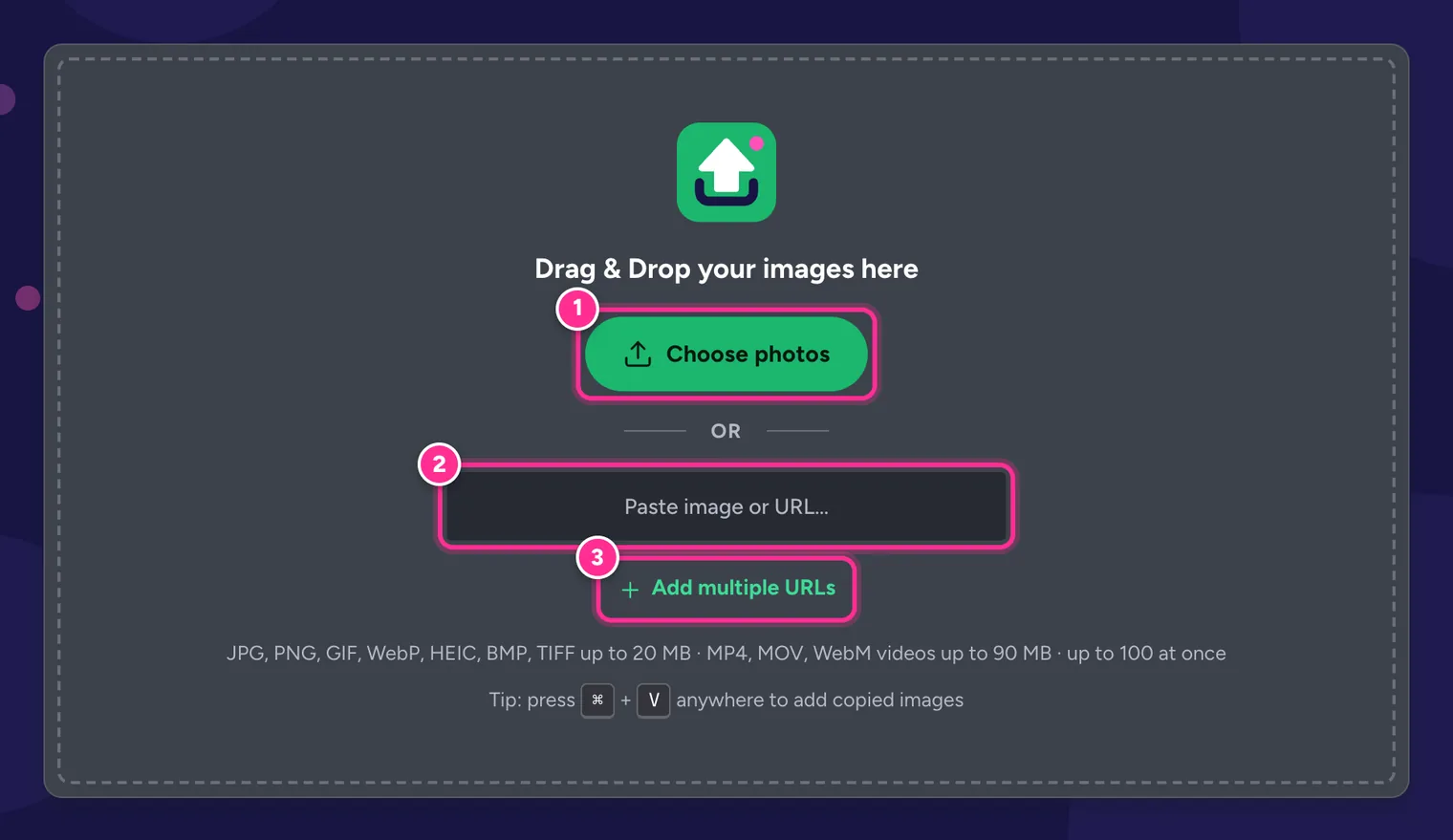
Add images from your device, by drag and drop, or from URLs. Step 2: Put them in order
The number on each tile is its position in the album. Click or tap a tile to show its arrows and move it earlier or later, or drag tiles around on a computer. Remove anything you don’t want with the ×. The first image becomes the album cover.
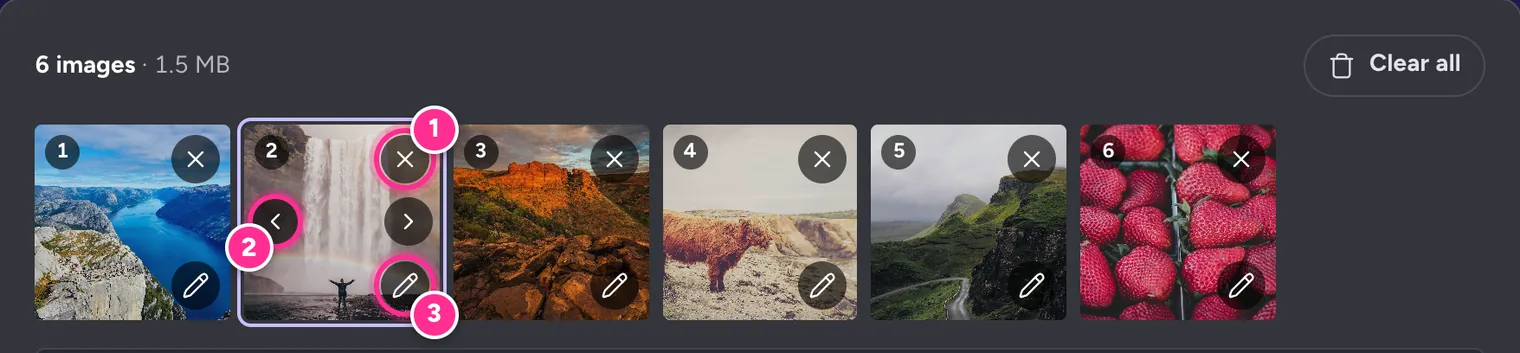
Tile numbers are the album order. Step 3: Turn on the album
Switch on Group into one album link. Two optional fields appear: an Album title, shown at the top of the album on Imgur, and a Description.
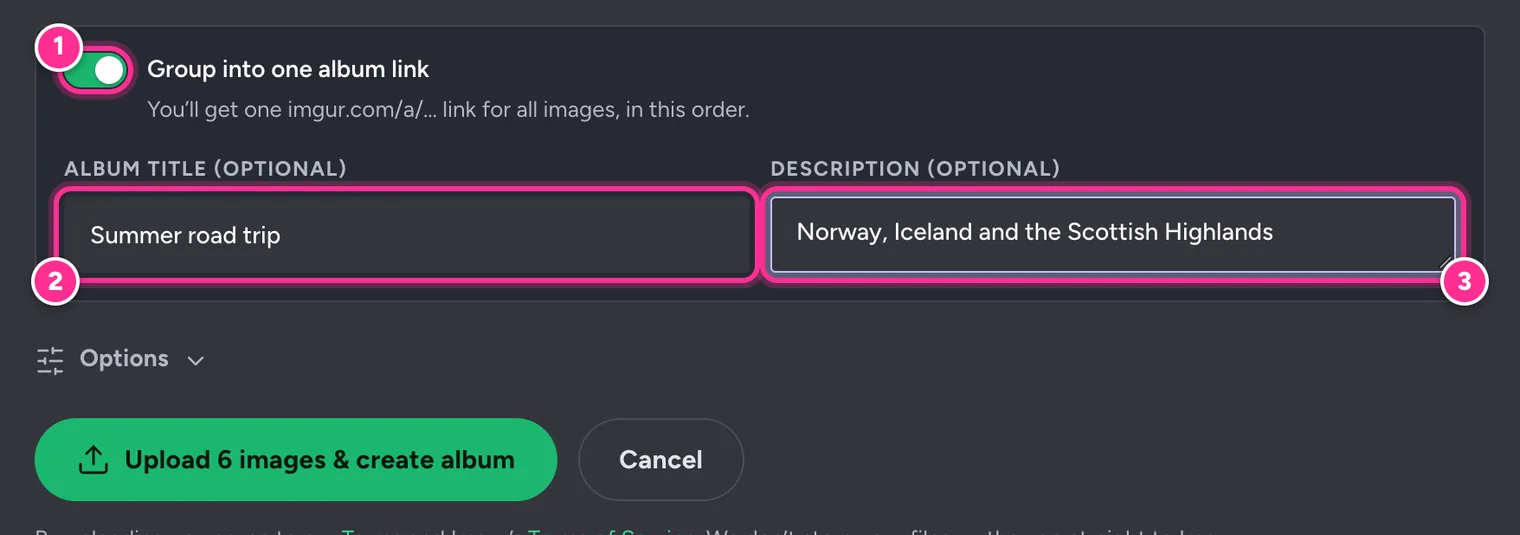
1 Turn on the album · 2 Title · 3 Description. Step 4: Upload and create the album
Press Upload … & create album. Your images upload first; then the album is created with them in your order. Keep the tab open until it says Album ready!
Step 5: Copy and share the album link
Copy the album link (1), open the album on Imgur to check it (2), share it straight to another app (3), or show a QR code so someone can open it on their phone (4).
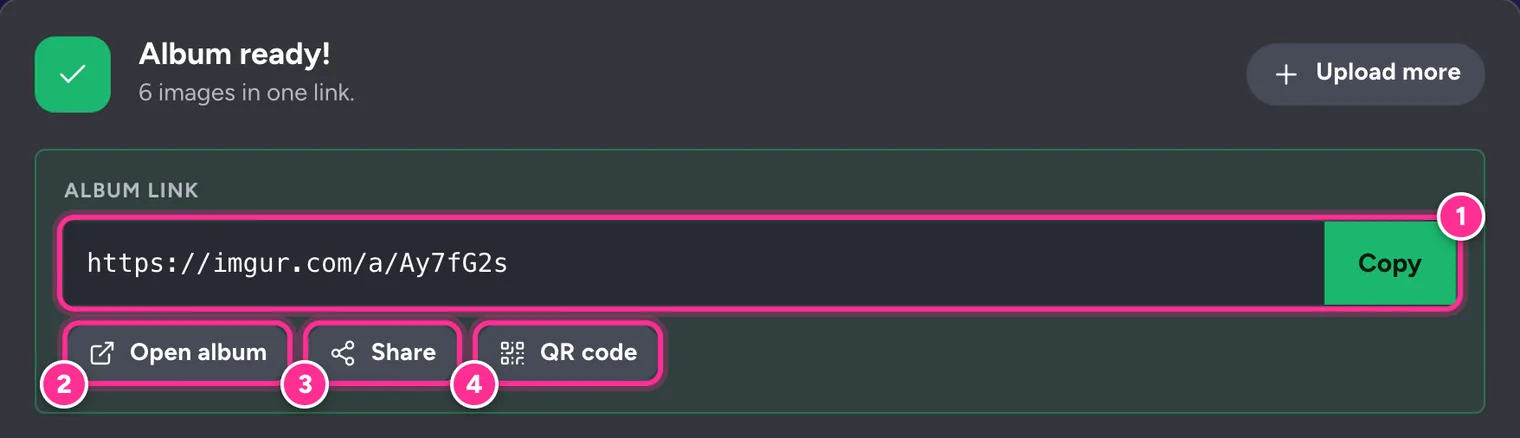
1 Copy · 2 Open album · 3 Share · 4 QR code.
Below the album link you still get a direct link for every image, plus Markdown, HTML and BBCode. With an album, Copy all puts the album link on the first line.
Who can see your album
Albums created with UploadImgur are hidden albums. That means:
- Anyone with the link can view it, so share it only with people you trust.
- It doesn’t appear in Imgur’s public gallery, in Imgur search or on any profile.
- Imgur removes location data (EXIF metadata) from photos when they are uploaded.
To hide names, faces or addresses in screenshots before they go into the album, use the editor’s Redact tool. See how to crop, rotate and redact images.
Change or delete an album later
Every album you create is saved in My uploads on the device you used, with a preview of its first images. From there you can copy the link again, show its QR code or delete it.
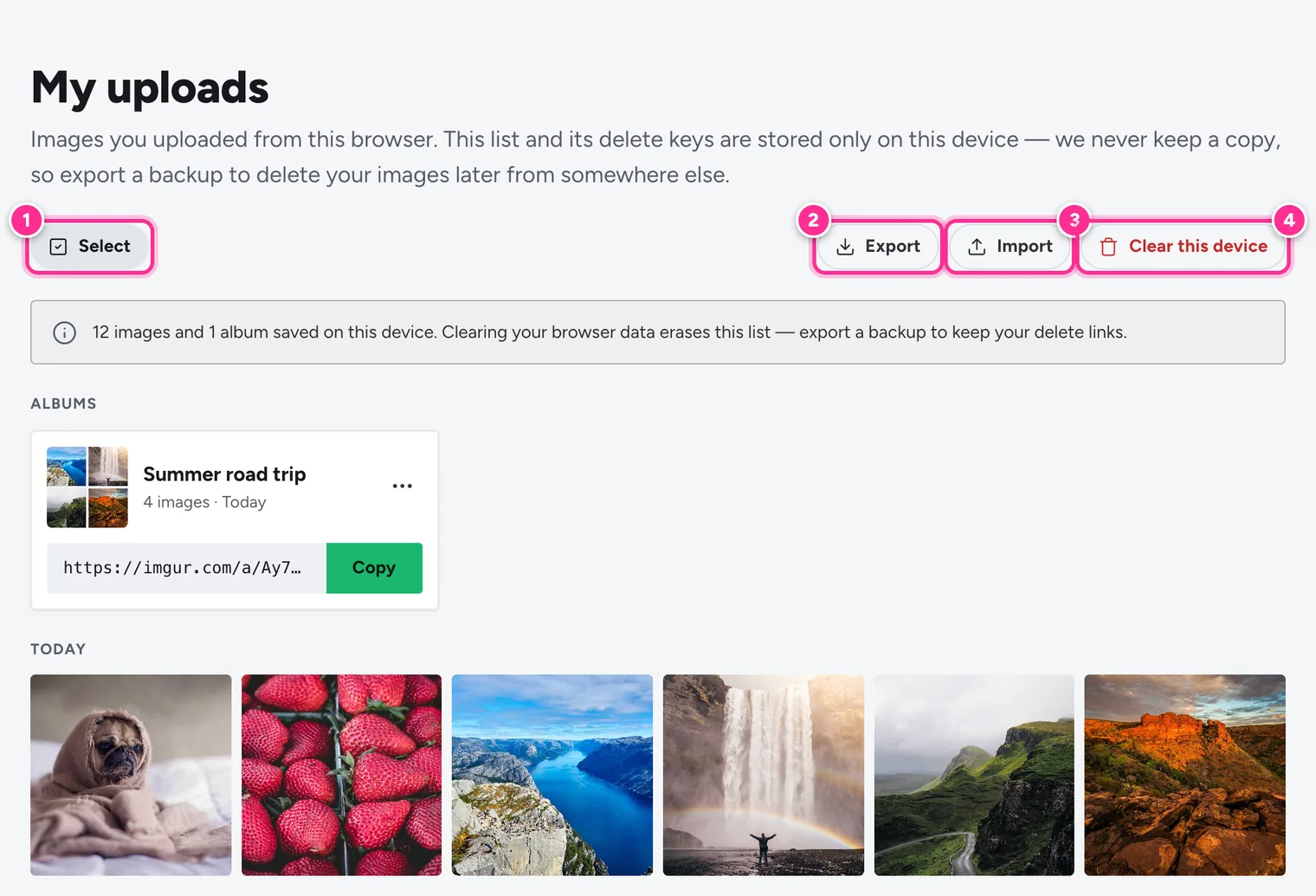
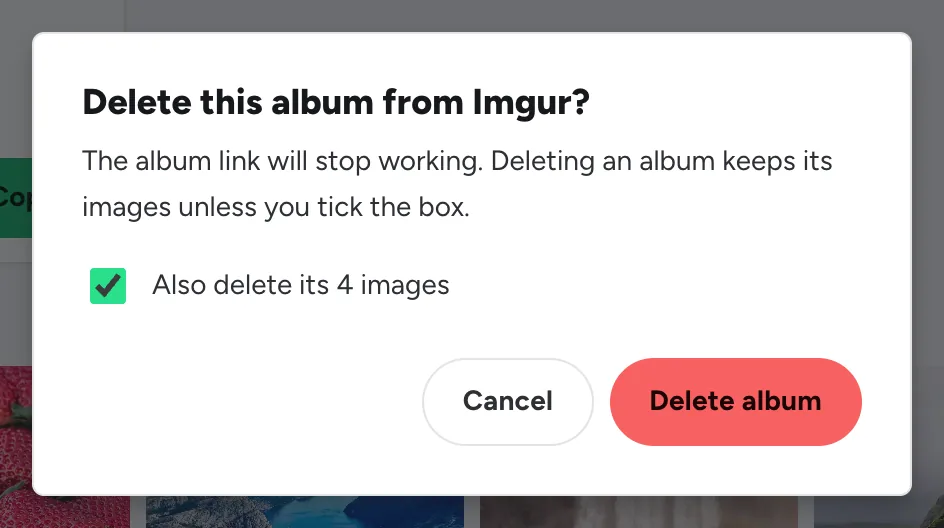
Choose Delete album from the album’s ⋯ menu. Deleting the album only removes the album link; tick Also delete its images to remove the images from Imgur as well.
Need to change an album?
UploadImgur can’t add images to an existing album. Upload the images you want as a new album, share the new link, then delete the old album and (if you like) its images.
Tips for great albums
- Pick a strong first image. It is the cover that people see first, including in link previews.
- Resize large photos. Under Options, set Resize before upload to 1920 px so the album loads quickly on phones.
- Add alt text. A short description for each image helps people using screen readers.
- Big batch? Imgur allows about 50 uploads per hour from one network. If some fail, press Retry failed after a short wait, or Continue to make the album with the ones that worked.
- Posting to Reddit? Paste the album link into a Link post. See How to Use Imgur for Reddit.
Want to save an album someone shared with you?
The Imgur Album Downloader saves a whole album as a ZIP file in original quality, on any device.
Frequently Asked Questions
Can I make an Imgur album without an account?
Yes. UploadImgur uploads your images anonymously and then creates the album for you, so you get an imgur.com/a/ link without signing up for anything.
How many images can an album have?
You can upload up to 100 images in one batch and put them all in one album. Imgur limits uploads to about 50 per hour from one network, so for very large albums you may need to retry the last few after a short wait.
Who can see my Imgur album?
Anyone who has the link. Albums made this way are hidden: they don’t appear in Imgur’s public gallery, search or any profile, but the link isn’t password-protected.
Can I add or remove images after creating the album?
Not with UploadImgur. To change an album, upload the images you want as a new album, share the new link, and delete the old album from My uploads.
Can I put videos and GIFs in an album?
Yes. GIFs and videos can go in the same album as your photos, in whatever order you choose.
How do I download an Imgur album?
Paste the album link into the free Imgur Album Downloader. It saves every image as one ZIP file in original quality, or lets you pick just the ones you want.