How to Upload Videos and GIFs to Imgur
Imgur is a great place to share short clips, gaming highlights and reaction GIFs. You can upload them the same way as photos, without an account. The trick is knowing which link to copy afterwards so it plays wherever you paste it.
Supported formats and limits
| Video formats | MP4, MOV (iPhone), WebM, MKV, AVI and MPEG |
|---|---|
| Video size | Up to 90 MB per video |
| Video length | Up to 180 seconds, according to Imgur’s help center |
| GIFs | Up to 20 MB, uploaded exactly as they are (never resized or re-compressed) |
| Per batch | Up to 100 files, and you can mix videos, GIFs and photos |
How to upload a video or GIF, step by step
Add the file
Go to UploadImgur.com and press Choose photos, or drag the video or GIF onto the page. Videos are marked with a camera badge (1) so you can tell them apart from photos.
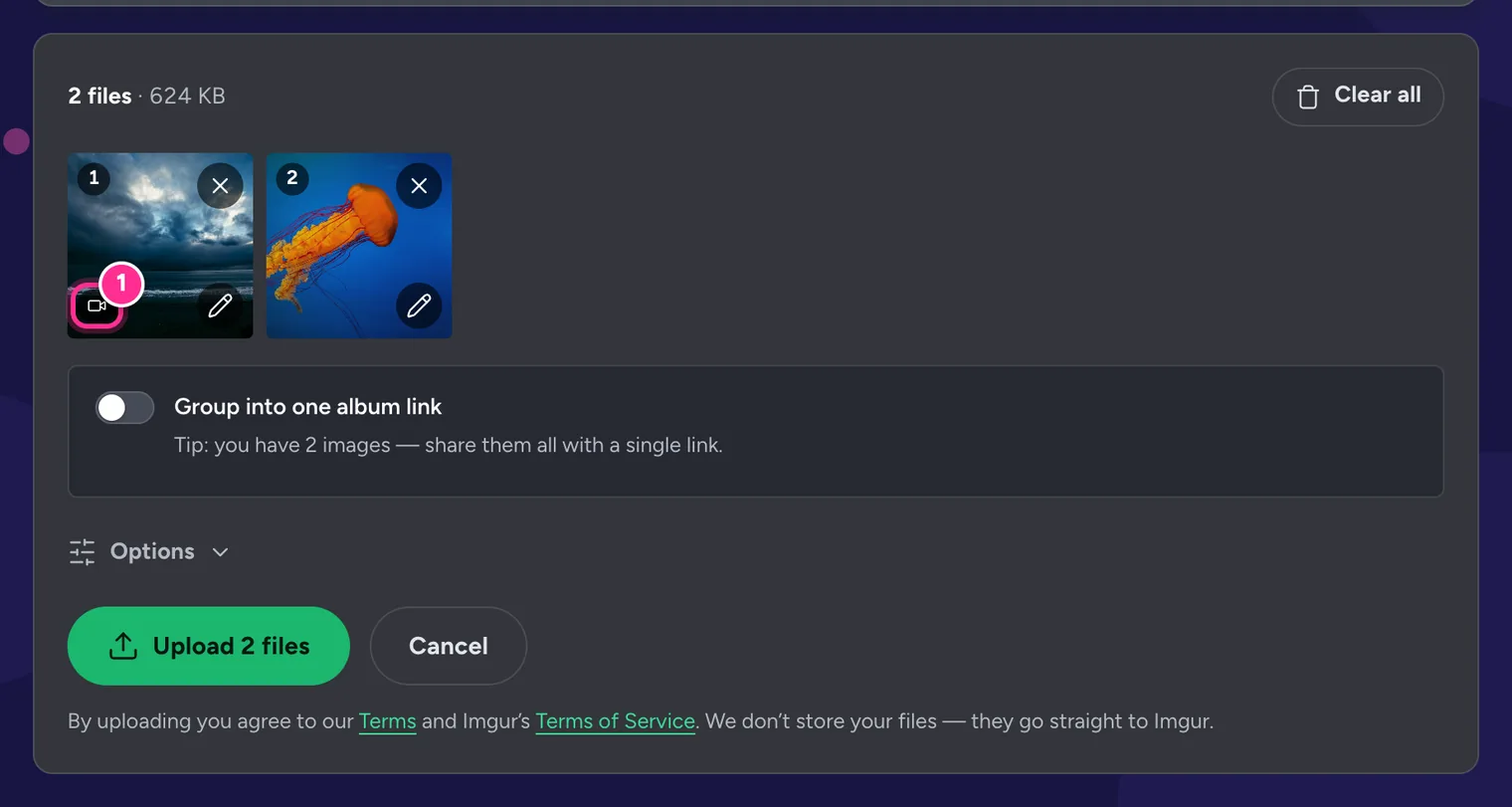
1 The camera badge marks a video. Upload
Press Upload. Videos are larger than photos, so they take a little longer. Keep the tab open until the upload finishes.
Wait a moment, then copy your link
Imgur converts every video to MP4 after it arrives (1). The link works straight away, but it can take a minute before it starts playing. Pick a format tab and copy.
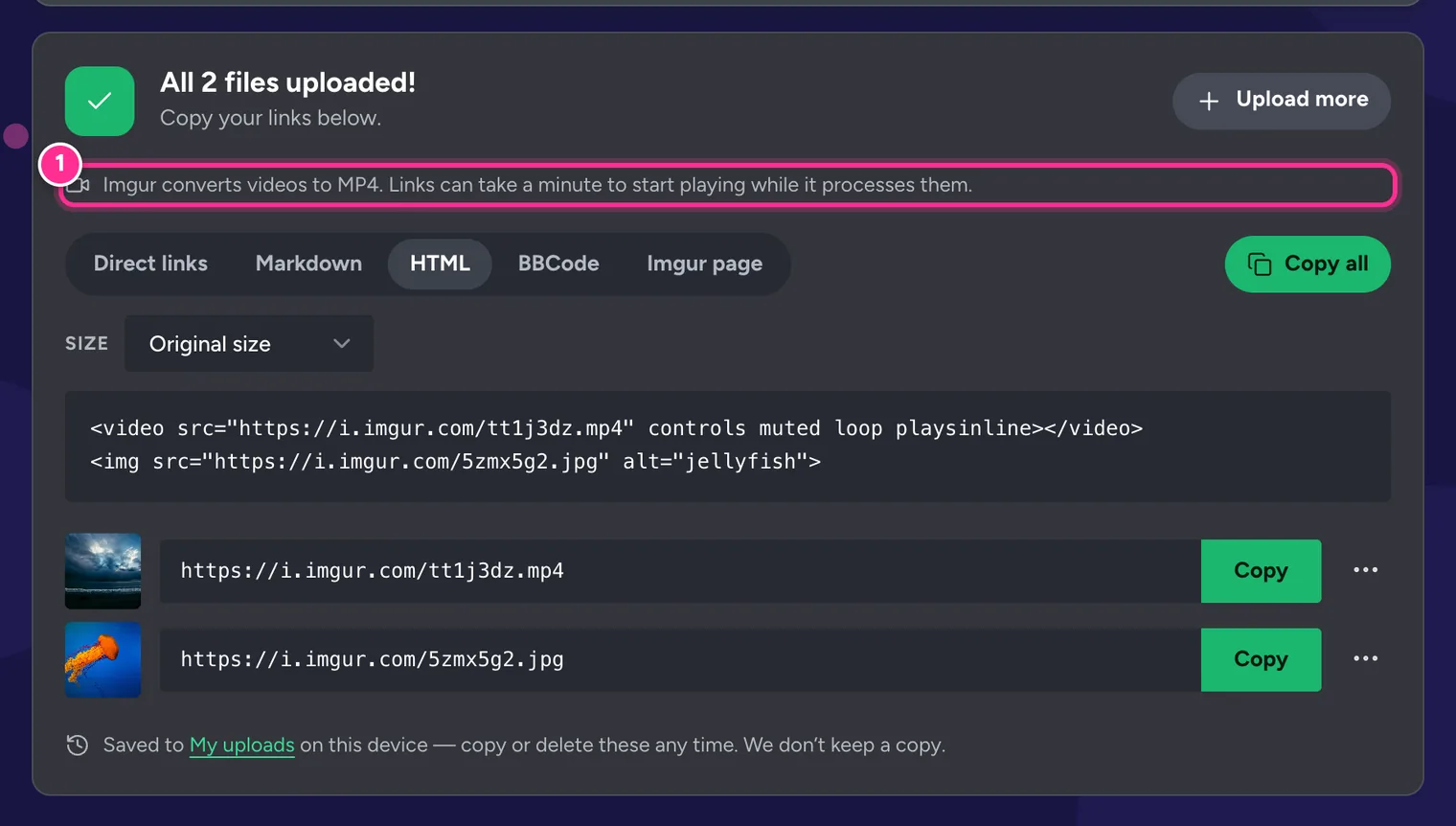
1 Imgur processes videos for up to a minute. The HTML tab gives you a ready-made video tag.
Which link should you use?
| Tab | What you get for a video | Best for |
|---|---|---|
| Direct links | https://i.imgur.com/AbC12xY.mp4 | Reddit, Discord and chat apps, which play it inline |
| HTML | <video src="….mp4" controls muted loop playsinline> | Web pages |
| Markdown and BBCode | A still image from the video that links to it | GitHub and forums, which can’t play video |
| Imgur page | https://imgur.com/AbC12xY | Sharing Imgur’s own player page |
GIFs keep their .gif link in every format. For more embed codes, see How to Embed Imgur Images in HTML, Markdown and Forums.
GIFs, GIFV and MP4 explained
- GIF is the classic animated image format. It works everywhere, but files get very large.
- MP4 is a video file. The same animation is often many times smaller as an MP4 and plays more smoothly.
- GIFV is Imgur’s name for a web page that plays an MP4 as if it were a GIF. You can’t upload a .gifv file, and you shouldn’t embed a .gifv link; change the end of the address to
.mp4instead.
Imgur turns larger GIFs into video automatically. If your GIF is over 20 MB, convert it to MP4 before uploading: it will be smaller and look the same.
Got a .gifv link from somewhere else?
Paste it into the Imgur Direct Link Generator to get the real .mp4 file link and an embed code.
Tips for smaller, smoother clips
- Trim first. Cut the clip to the moment that matters with your phone’s Photos app or a free editor.
- 1080p is plenty. 4K files are huge and most people watch on a phone screen anyway.
- Prefer MP4 to GIF. For anything longer than a few seconds, a video is smaller and sharper.
- Add alt text. Press the pencil on the tile to describe the clip for people using screen readers.
- Check the rules. Imgur doesn’t allow sexually explicit content, and some subreddits and forums limit video length.
Frequently Asked Questions
What is the maximum video size on Imgur?
UploadImgur accepts videos up to 90 MB. Imgur also limits video length; its help center currently says uploads can’t be longer than 180 seconds. For longer clips, trim the video first.
Why did my GIF turn into a .gifv or .mp4 link?
Imgur converts larger GIFs to video because MP4 is far smaller and plays more smoothly. A .gifv address is a web page that plays that MP4. For embedding, use the .mp4 link.
Why doesn’t my video play straight after uploading?
Imgur converts every video to MP4 after it arrives. That usually takes a minute or less. Try the link again shortly.
Will my video keep its sound?
Usually, yes. UploadImgur doesn’t ask Imgur to remove the audio. Imgur’s player may start muted, so press the speaker icon to hear it.
Can I trim or crop a video before uploading?
Not in UploadImgur; videos and GIFs are uploaded exactly as they are (you can still add alt text). Use your phone’s Photos app or a free editor to trim the clip first.
My phone video is too big. What can I do?
Trim it to the part you need, or record at 1080p instead of 4K. A minute of 4K video can easily be several hundred megabytes, while 1080p is a fraction of that.